Close
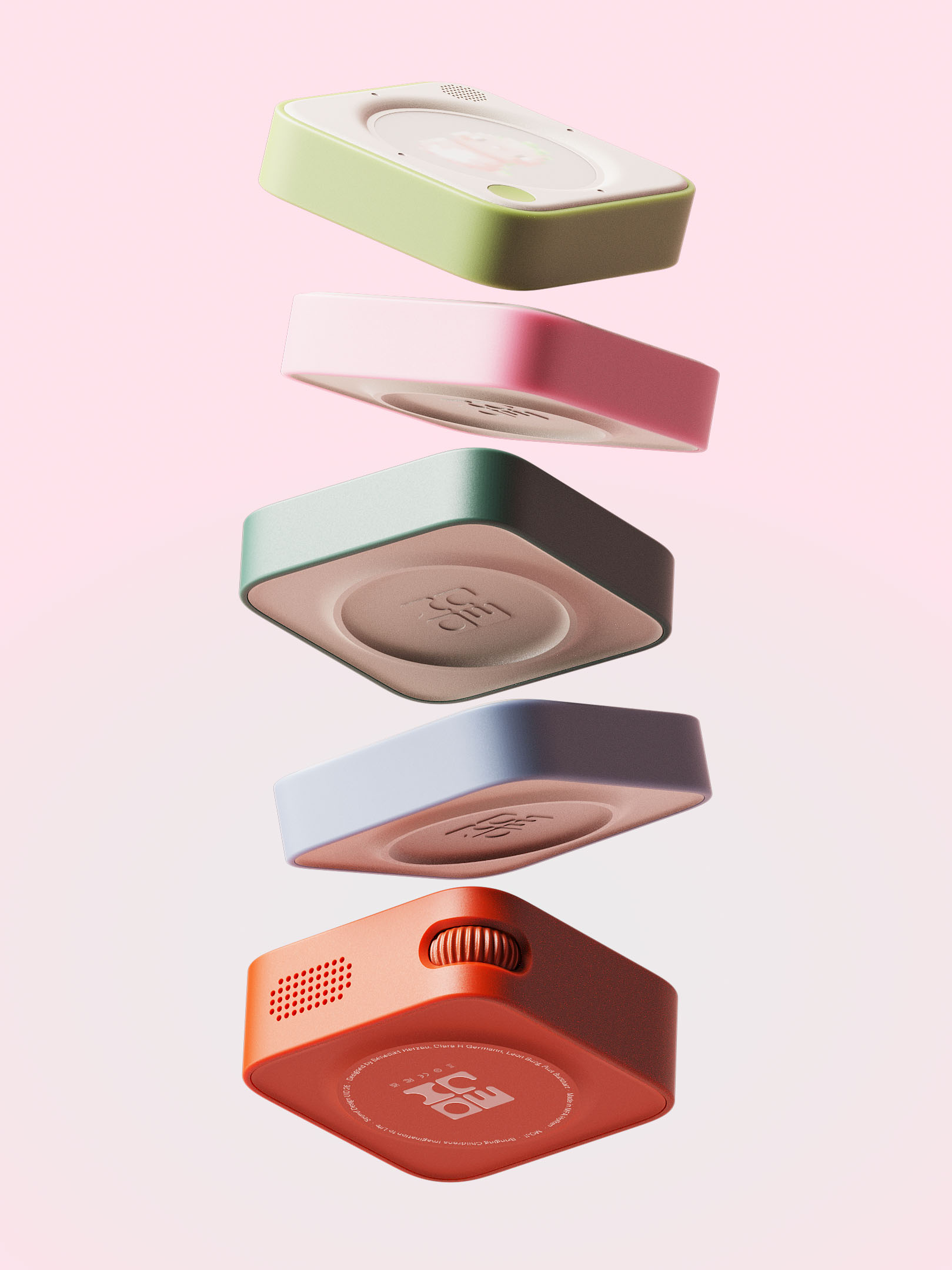
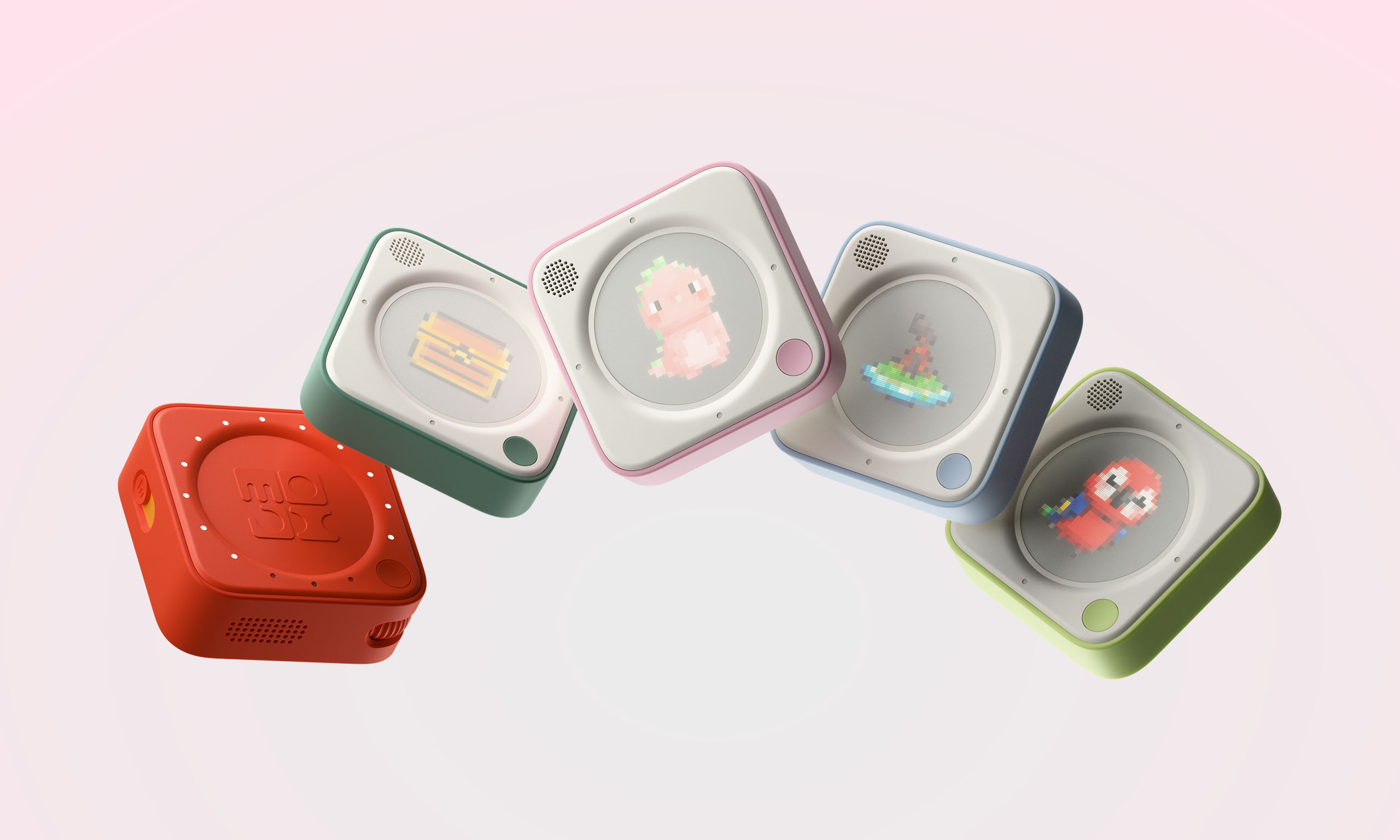
Five colorful square digital devices with pixelated characters and icons displayed on their screens against a light pink background.
Moji
2026
Bringing children’s stories to life with generative storytelling.
Project summary
[[MOJI is a generative storytelling toy exploring how technology can bring children’s imagination to life.]]

Children are encountering digital technology earlier than ever, spending less time with physical and social forms of creative play. This project explores designing generative AI to empower imagination in a responsible way.

Unified by playful, tangible interactions, MOJI encourages active storytelling and creativity, offering modes that enable solo or family play while supporting fine motor skill development.
Project details
Team
Clara H. Germann
Benedikt Herzau
Pius Burkhart
Information
Sound design
2026
3 Weeks
Role
Concept
Interface design
Prototyping
Research
User testing
Vision
Our vision was to create a tangible device that unlocks children’s creativity instead of replacing it, giving form to their wildest ideas. We wanted to bring stories to life through physical play and self-expression, crafting experiences that spark imagination, whether at bedtime or during the day.
A modular generative storyteller
MOJI is a tangible user interface that transforms children’s ideas into playful, interactive stories, bringing their imagination to life through sound and physical play.
Placeholder image icon with a mountain and sun inside a rounded square on a light gray background.
Generating a story
Each story begins with four simple inputs: one character, one environment, and two open prompts that guide the narrative.
Two types of input
Users can add their ideas in two ways: by long-pressing to speak whatever comes to mind, or by tapping to explore characters, environments, and prompts they’ve saved before.
System
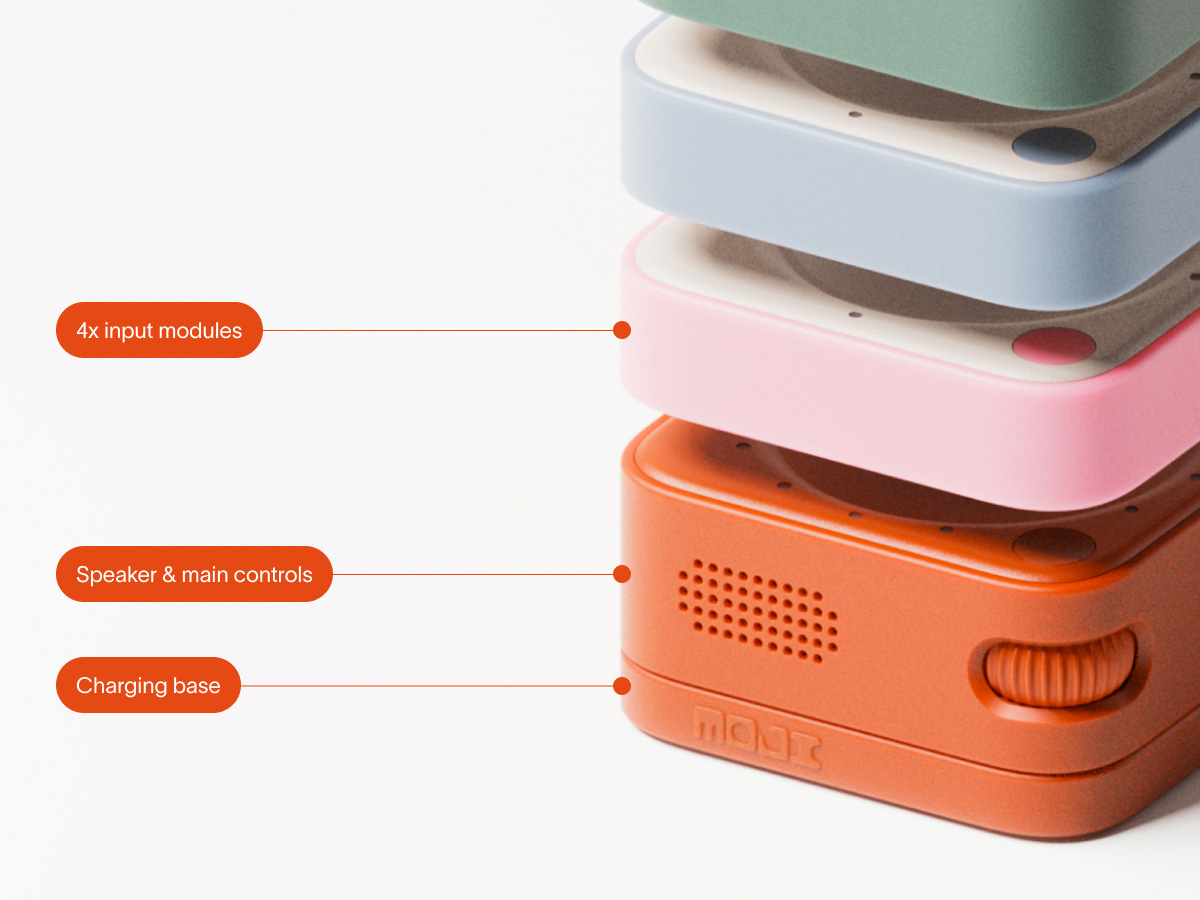
Four interactive modules allow users to actively shape and guide the story, enabling dynamic and responsive storytelling. The base functions as the main speaker, providing consistent audio output as the narrative unfolds.
Setting length of story
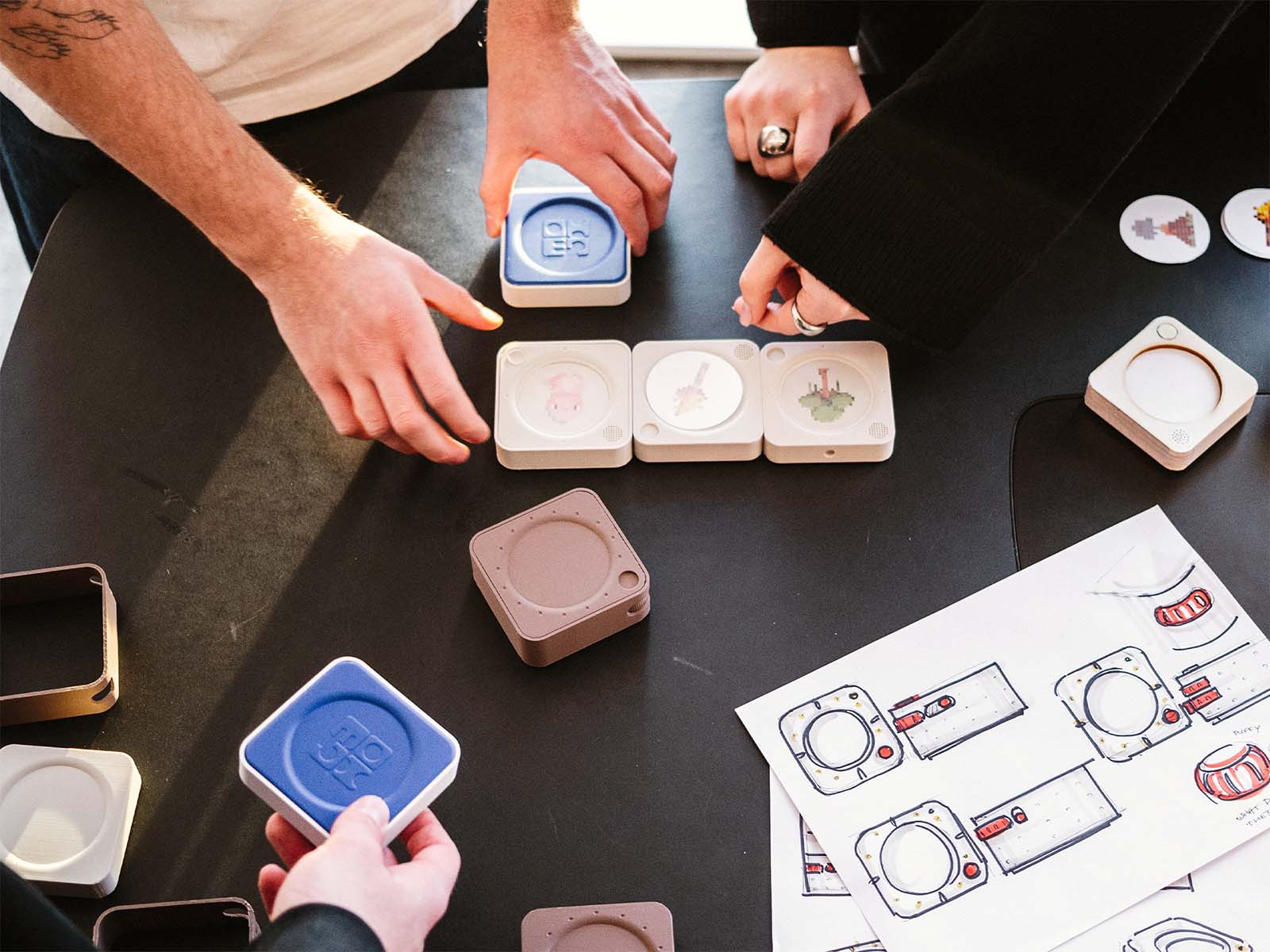
After setting all inputs, the base allows users to set the story’s length using a rotary dial. Each tile represents a chapter, and the number of LEDs on the base indicates the total chapters in the story.
Developing the story
The story develops sequentially: when a chapter ends, the child is prompted to pick up the last interactive module in the “snake” and provide a new input to continue the narrative. This keeps the story dynamic and engages the child in shaping each chapter through their interactions.
Placeholder image icon with a mountain and sun inside a rounded square on a light gray background.
Generating chapters
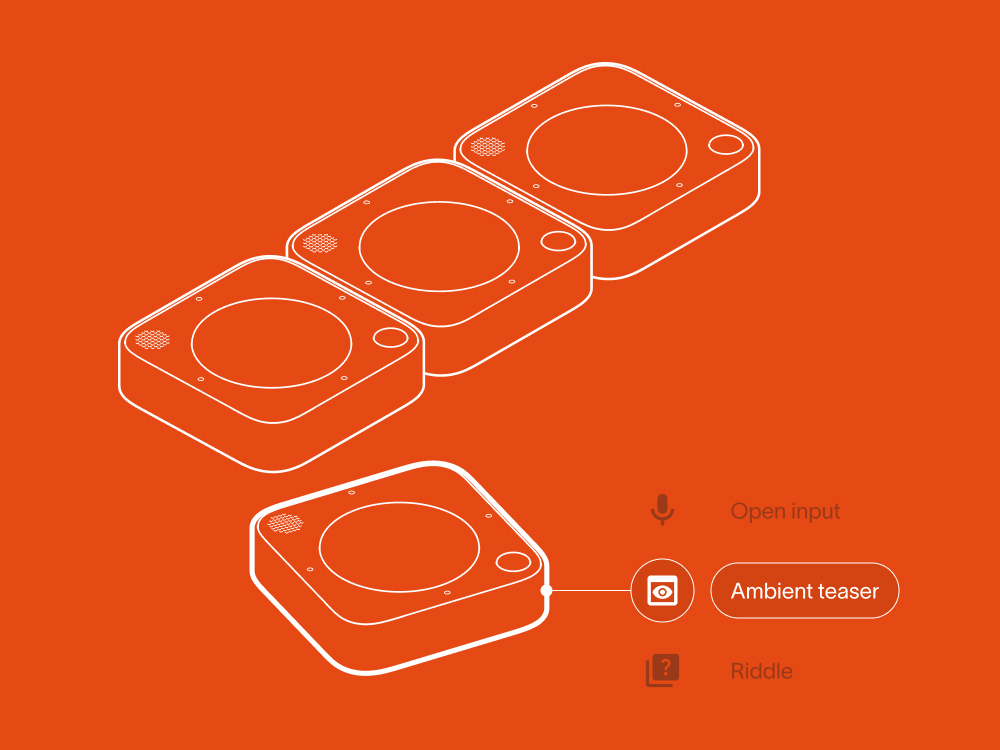
After a chapter ends, the story can be continued in three ways: an ambient teaser hints at what’s next, a riddle poses a challenge, or an open-mic input shapes the narrative freely.
Ambient teaser
The ambient teaser introduces a novel interaction. By positioning the input module against the current chapter module, different sound cues suggest possible directions the story could take.
Unexpected interactions
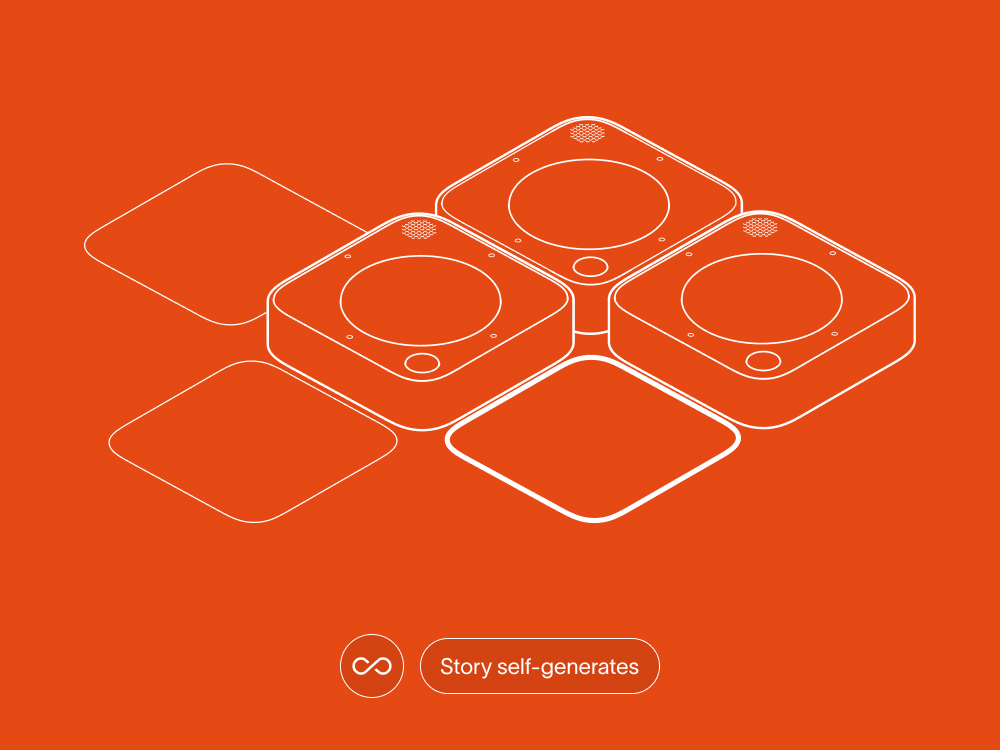
We decided to embrace unexpected interactions: creating a loop lets the story continue automatically and stacking a tile pauses the narrative.
Looping
Stacking
Modes of play
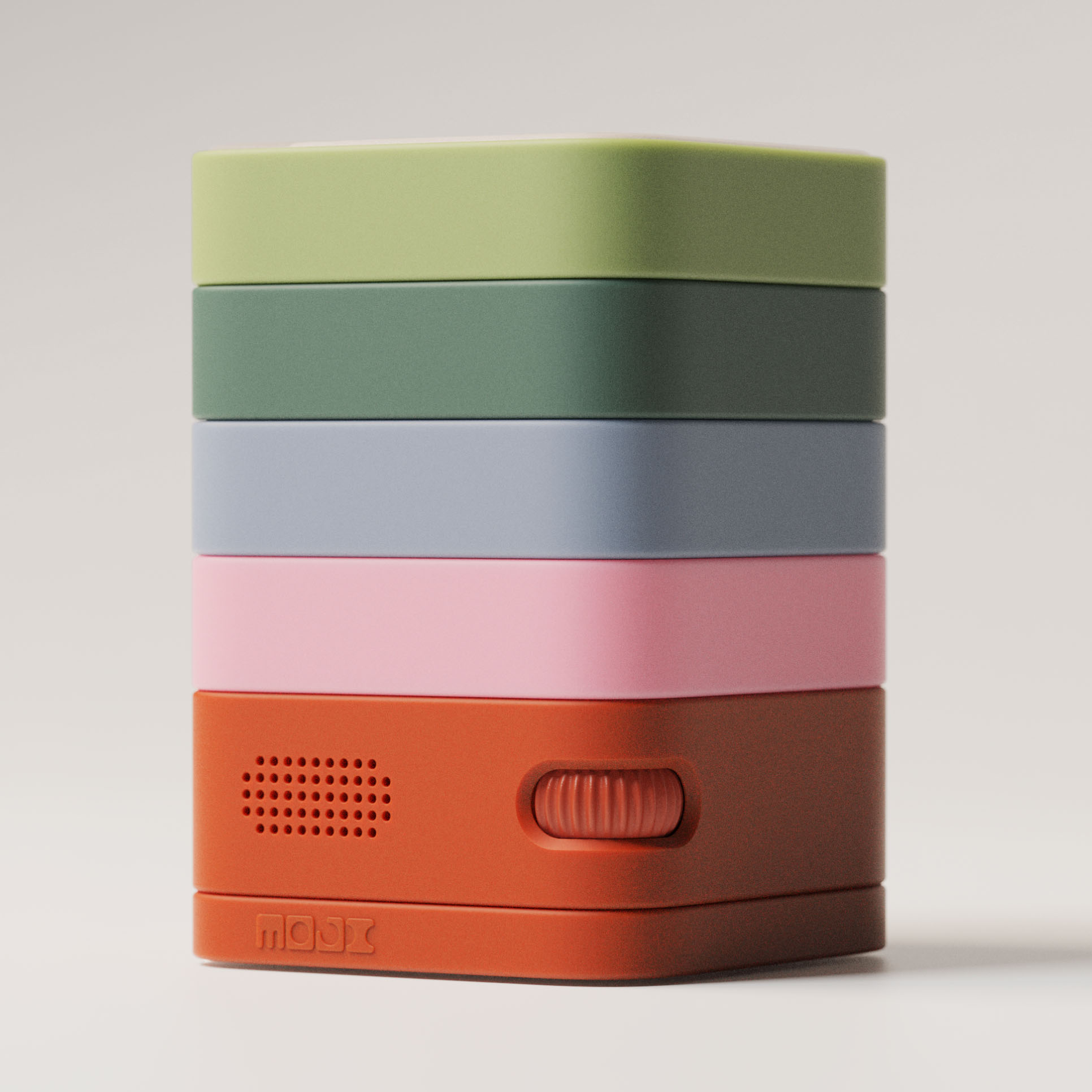
The product supports both active generation and passive listening when all modules are stacked on the base. In this mode, previously generated stories can be replayed and enjoyed.
User testing
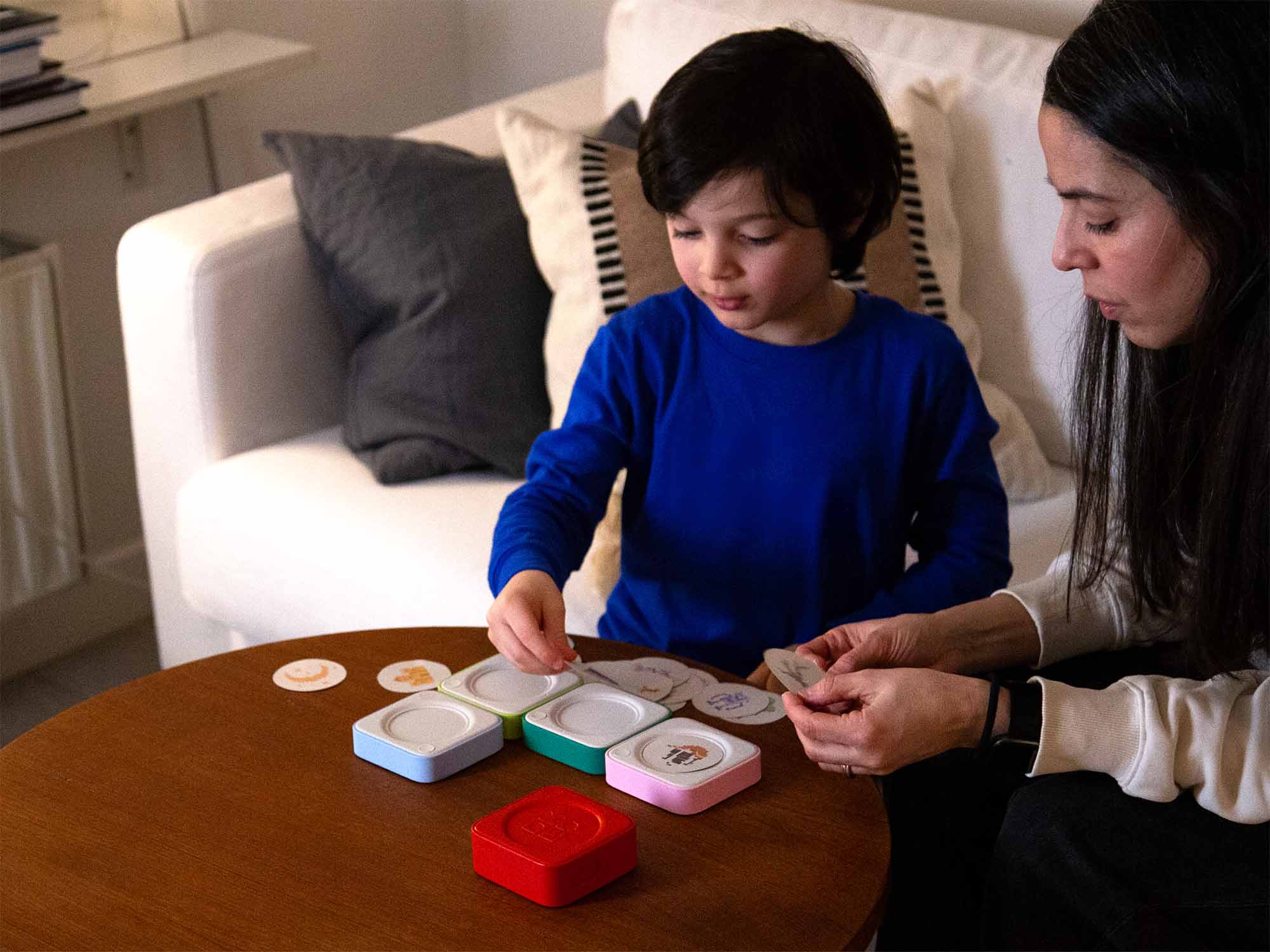
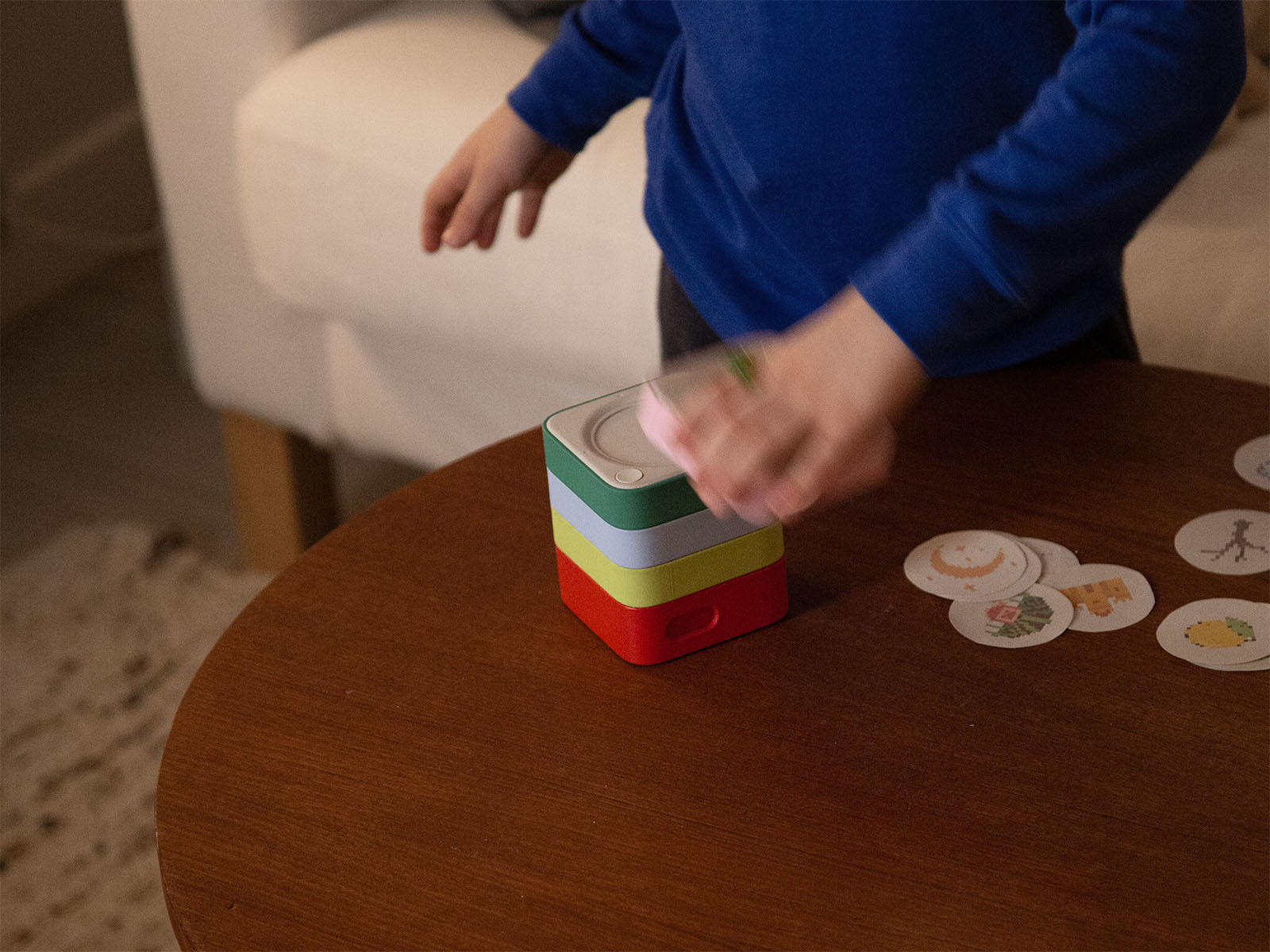
We tested with Roby, a 5-year-old, and his mother to see how children might interact with the toy and what stories they would create. Solo play proved challenging at this age, emphasizing the need for collaborative or guided play.
Gray placeholder image icon with two mountain peaks and a sun on a light gray background.
Types of storytelling
Tests helped us define two user groups. Younger children (4–7) who rely more on parental support, while older children (7–10) could play independently. Based on this, we expanded the concept to two modes.
Technical prototype
As a proof of concept, we developed a technical prototype using ChatGPT 5.2 to generate stories and ElevenLabs to produce sound and natural narration.
Branding
The logotype is derived from the physical form of the product, with the “O” in “MOJI” adapted from the shape of the individual input modules.
Placeholder image icon with a mountain and sun inside a rounded square on a light gray background.
Physical form
We carefully designed the modules for children, with a dot-matrix, paper-like e-ink display that’s less distracting, an indented puffy top to protect against drops, a bumper ring on the bottom to prevent scratches when stacking, and a soft-grip frame for easy handling.
Placeholder image icon with a mountain and sun inside a rounded square on a light gray background.
Empty placeholder image with a light gray background and an icon of a photo in the center.
Reflection
Exploring the potential of generative AI for a children’s audience was very exciting. I especially enjoyed the challenge of navigating ethical considerations while exploring how the technology could be used to create a playful, engaging experience.

With this project I also was able to familiarize myself more with tools like Cursor that enabled us to rapidly prototype a fully functional interface. This was extremely rewarding as it enabled an iterative experimentation with interactions and storytelling in real time. In comparison to previous user studies, working with children was humbling and unpredictable. It taught me how crucial it is to stay flexible when working with atypical users.
Empty placeholder image with a light gray background and an icon of a photo in the center.